
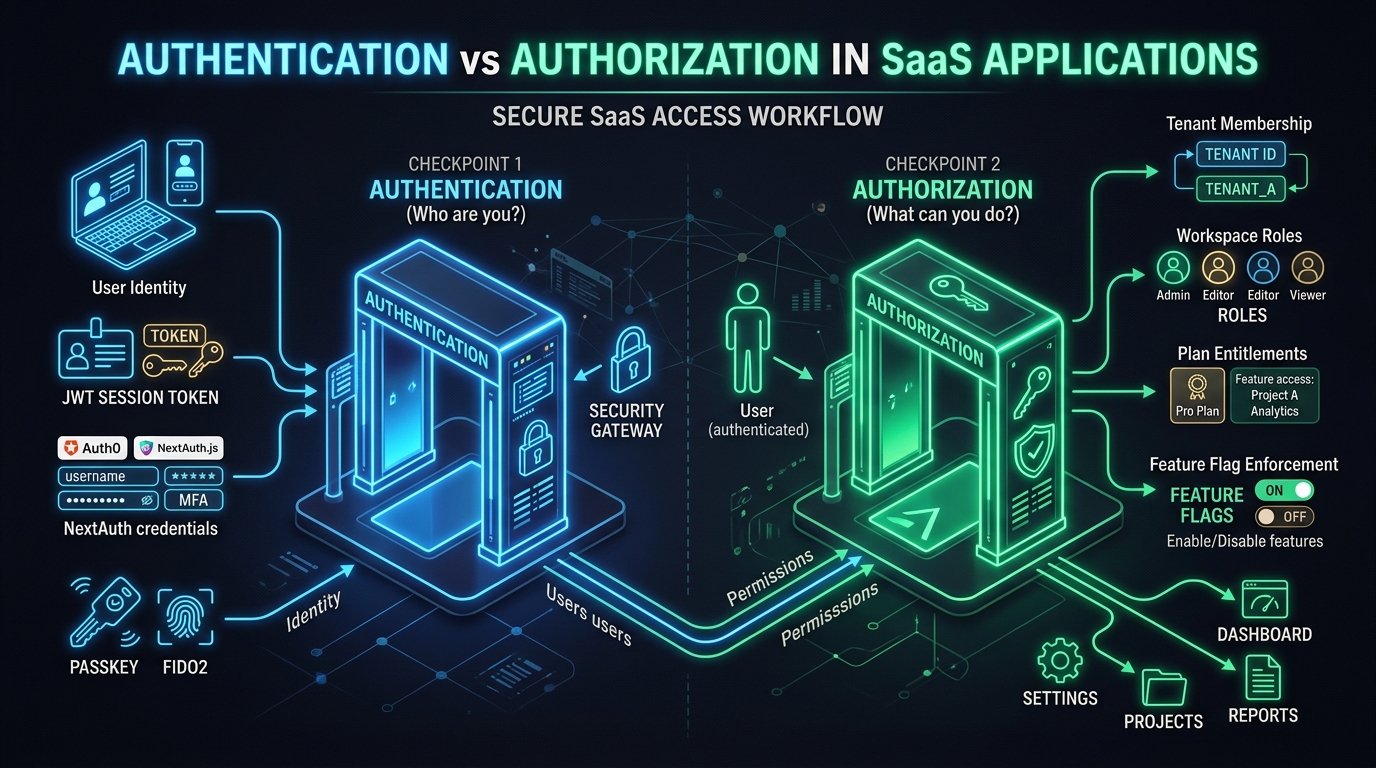
Authentication establishes who is using an application. Authorization determines whether that person may perform a particular action in a particular context. A working sign-in screen provides the first part of that chain; a B2B SaaS application also needs a consistent answer about workspace membership, resource access and permitted operations.
These decisions are closely related, but they change for different reasons. A person can remain correctly signed in after losing access to a team. They can also have permission to view a report while their workspace lacks the paid entitlement required to generate a new one.
Separate identity from the session
Authentication may use an external identity provider, a magic link or another configured method. After authentication, the application needs a way to recognize subsequent requests through session management.
The Next.js authentication guide treats authentication, session management and authorization as distinct concerns. That distinction helps diagnose failures. An expired session and an insufficient role should not be handled as if they were the same problem.
Think of the session as evidence the application must validate according to its design. It should not become a permanent copy of every authorization fact. Memberships, roles and account status can change while a session exists.
For example, a contractor may sign in successfully on Monday and be removed from a client workspace on Tuesday. Successful authentication on Tuesday does not itself restore the removed membership.
Resolve the workspace for the request
Imagine a hypothetical contract review service. A legal consultant belongs to two customer workspaces and wants to download a document from one of them.
The request must establish which workspace is being accessed and whether the consultant has an active membership there. The selected workspace in navigation helps the user orient themselves, but server logic still needs to evaluate the submitted request.
A URL containing a workspace identifier is a request for access to that workspace. It is not proof of membership. Similarly, an old cookie may reflect an earlier selection that no longer exists or is no longer available.
Handle that situation deliberately. The application can direct the person to a workspace they still belong to or explain that access changed. It should avoid silently performing the operation in a different workspace.
Check the resource and the action
After resolving membership, verify that the document belongs to the requested workspace and that the consultant may download it. Those are separate questions.
A person may be able to read a contract summary without downloading the complete document. A draft could be accessible to its editor while a finalized document follows a broader sharing policy. Resource state and relationships can matter alongside role.
The OWASP authorization guidance emphasizes checking access on requests rather than relying on assumed trust. For the contract service, this means evaluating the download operation even if the user reached it from an authorized dashboard page.
Avoid exposing raw storage addresses as a shortcut around this decision. A download flow should preserve the connection between the requested asset, its workspace and the person requesting access.
Treat paid access as another explicit decision
Suppose the consultant has permission to export a comparison report, but the customer workspace is on a plan without that capability. The identity and role checks can pass while the entitlement check fails.
This is useful information for the interface. The user may need an owner to change the subscription, rather than a new password or a broader role. Conversely, purchasing an export feature should not automatically let every workspace member use it.
A practical evaluation sequence can look like this:
| Decision | Question | Possible result | |