
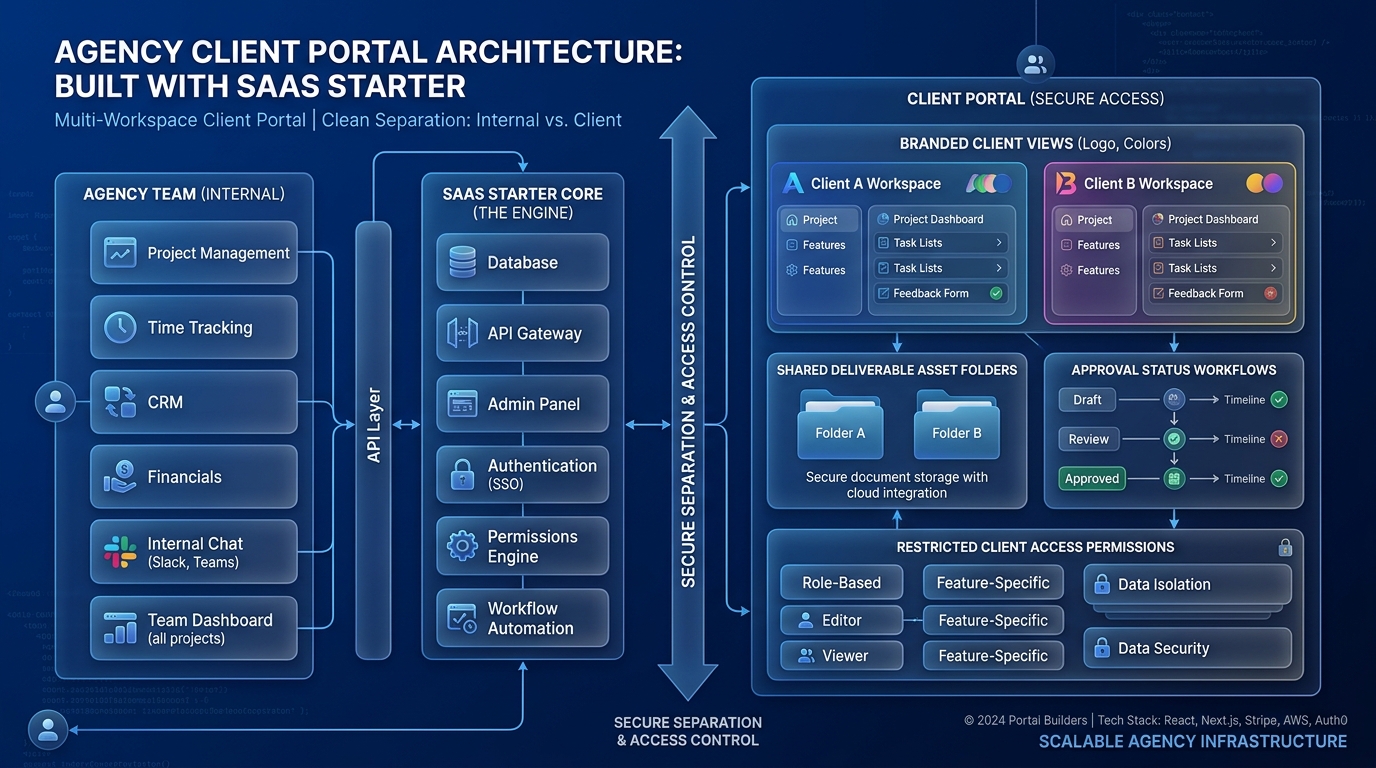
Build a client portal by identifying the work clients need to complete, then map that work onto a clear account, permission, and record structure. A SaaS starter can supply common application components, but the useful portal comes from how clients review deliverables, provide information, see progress, and record decisions.
Start with one complete client workflow. Avoid making the first release a general collection of messages, files, invoices, dashboards, and disconnected status cards.
Choose the portal's primary job
Imagine a hypothetical creative agency that wants customers to review campaign assets and approve the final versions. Its initial portal can focus on that workflow: the agency publishes a version, the client reviews it, requests changes or approves it, and the agency sees the resulting decision.
This purpose gives the interface a natural center. The client should land on work awaiting attention, with enough context to understand what they are reviewing. A large internal project dashboard may contain information the client neither needs nor understands.
Ask what the client currently searches for in email. Is it the latest file, the requested deadline, previous comments, or confirmation of approval? Design the portal to make those answers available at the moment they matter.
Map clients and collaborators deliberately
Decide what a workspace represents. It might be one client organization, one engagement, or another boundary that matches ownership and access. Do not assume the agency's internal team model automatically matches its external clients.
Identify the people who can manage the workspace, publish work, review deliverables, and invite others. An agency employee may work across several clients, while a customer contact should see only their authorized organization or projects.
Agentium Start's capability page lists workspaces, memberships, invitations, and a role registry as implemented foundations. Map your portal requirements onto the actual permissions, adding or adapting domain-specific checks where needed. A general role name does not establish the full policy for a client approval workflow.
Make deliverable versions explicit
Create a distinction between a deliverable and each version of that deliverable. The campaign concept may have a stable identity, while its files, notes, and review state change over time.
Attach comments and decisions to the version the client actually reviewed. If the agency uploads a replacement after approval, define whether the new version needs another review. Do not let an approval for yesterday's file silently authorize a changed file today.
Use clear states that match the process, such as draft, awaiting review, changes requested, approved, and superseded. Explain transitions in the interface. The client should be able to tell whether a decision is still needed and what the agency will do next.
Protect files as part of the workflow
Treat files as customer-owned resources with explicit access. Check permission before creating upload or download access, and keep the storage object connected to the intended workspace and deliverable version.
The OWASP File Upload Cheat Sheet recommends controls including allowed file types, size limits, authorization, and validation beyond the supplied content-type header. Choose the controls appropriate to the formats your portal accepts.
Do not expose arbitrary storage paths as the application's ownership model. Use application records to identify the file and determine who may access it. Set download-link behavior and expiration deliberately, then test whether the result matches your expected sharing and revocation rules.
An upload integration supplies a mechanism. Your portal still needs to decide which files are acceptable, how they are processed, and when a client can see them.
Walk through one review from start to finish
For the creative-agency example, an employee publishes version two of a campaign banner with a short explanation of the change. The portal creates a review task for the authorized client contact and sends a notification containing a link to that version.
The client opens it, sees the relevant file and prior feedback, and requests a change to the headline. The agency publishes version three. The earlier version remains identifiable, while version three becomes the current review target.
When the client approves version three, the system records the actor, timestamp, and specific version. A repeated click shows the existing decision instead of creating another conflicting event. An unauthorized colleague cannot approve merely by discovering the resource identifier.
This sequence establishes the records and state transitions you need. It also produces a focused acceptance script for the first release.
Make notifications and status dependable
Notify people when their action is needed, when a decision is recorded, or when a meaningful deadline changes. Avoid sending messages for every internal edit.
Keep the portal's stored state authoritative for what the user sees. An email may be delayed or opened later, so its destination should explain whether the work is still awaiting review or has been superseded.
Background delivery needs a way to identify failures and prevent repeated notifications from repeated processing. Operators should be able to see whether a message was requested, attempted, and completed without needing to inspect private client content.
Onboard and offboard around real ownership
For the first client, prepare a small real engagement and walk through one review together. Confirm that the terminology, permissions, file access, and notifications match how the customer works.
Document who owns client administration, where support requests go, and what happens when a contact leaves the organization. Decide how completed engagements are archived and how an authorized client receives any agreed exports.
The portal becomes useful when clients can confidently complete their part of the work. Keep subsequent additions tied to that goal.
Explore Agentium Start if its editable B2B foundation matches your portal requirements. Use the shared application capabilities as a base, then implement the versioning and review behavior that makes your client process clear.
Authority References & Sources: