
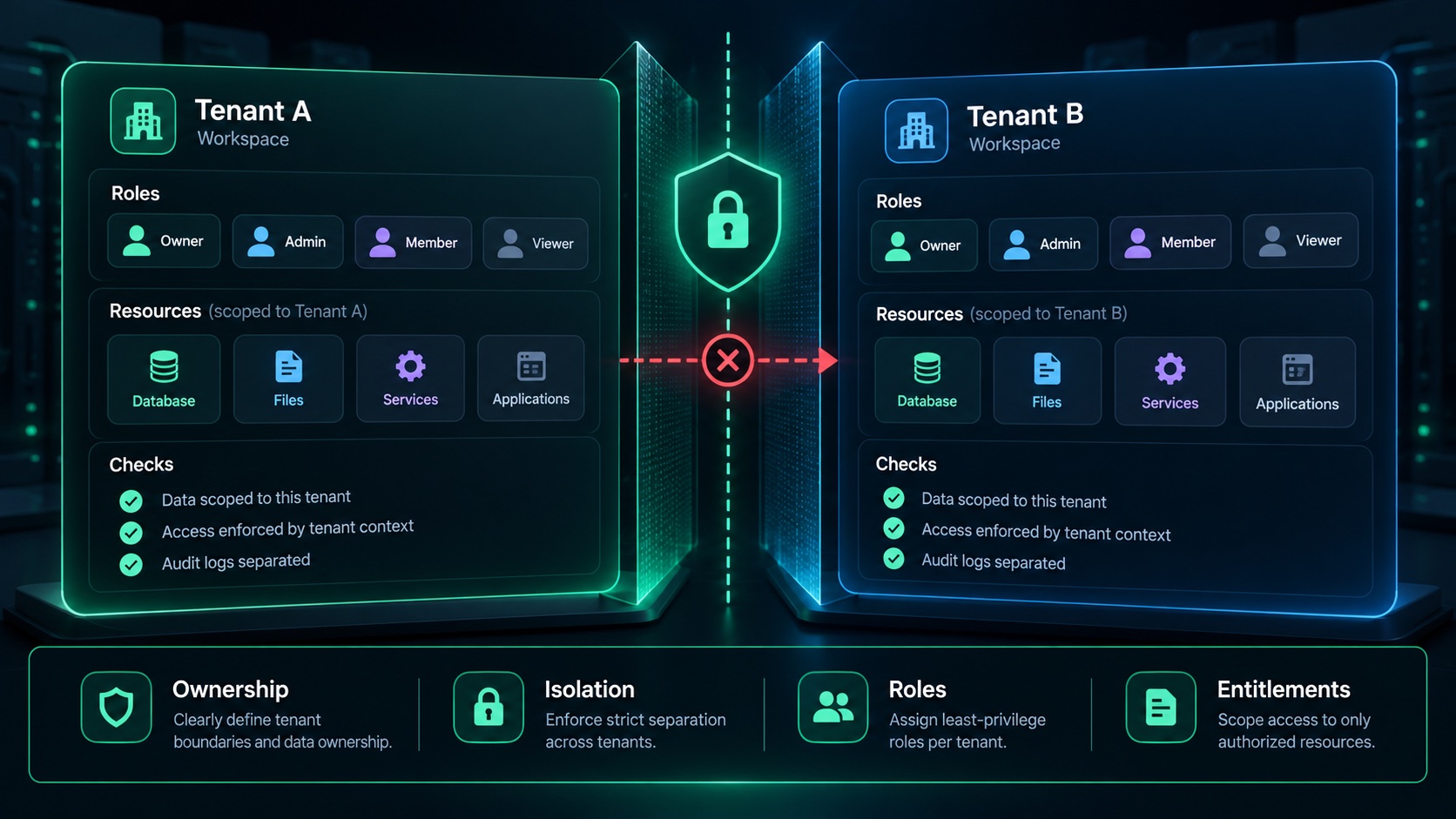
A workspace switcher is useful, but it is not the whole of multi-tenancy. When evaluating a B2B SaaS starter, follow the data and the operations behind the interface. The goal is to understand which customer owns each record and who may act on it.
This checklist is a proposed evaluation method. It is not a certification of Agentium Start or any competing product.
1. State the ownership rule
Choose a simple record such as a project. Identify the workspace that owns it and how the server obtains that workspace context. A caller-provided identifier should not, by itself, establish permission to access the record.
Ask what happens when a user switches workspaces, belongs to more than one workspace or loses membership. The answer should be explicit in the application’s data-access and authorization rules.
2. Test a second workspace
Create two test workspaces using synthetic records. Perform a valid operation in the first. Then attempt the equivalent read or write from an account that belongs only to the second.
Check the actual server operation—not just whether a button disappears. A hidden button is a useful interface treatment, but the protected operation needs its own decision. Test exports, files and any relevant background processing as well as the obvious CRUD page.
3. Separate role permissions from plan availability
A paid plan does not automatically give every member permission to perform every action. Likewise, a workspace administrator should not automatically receive a feature excluded from that workspace’s plan unless an intentional exception permits it.
Write down the order of decisions: identity, workspace membership, permitted action, feature availability and any applicable usage limit. The specific implementation can vary, but its behavior should be understandable and testable.
4. Exercise invitations and removal
An invitation has a recipient, a workspace, a role and a lifecycle. Try acceptance, expiry, revocation and repeat acceptance in a safe test environment. Confirm that the application handles an already-existing account appropriately.
Then remove a member and retry the protected operation. Existing sessions, cached views and download links deserve attention. The expected behavior should come from your product’s policy, not a guess made during testing.
5. Clarify billing ownership
Is a subscription attached to the individual, the workspace or another organization entity? Which owner may change it? What happens when ownership transfers? How are existing resources treated after a downgrade?
These are product decisions as much as implementation details. An attractive pricing page is not a substitute for the rules behind it.
6. Check simultaneous usage
When a plan allows one remaining seat or resource, consider two requests arriving together. A usage display can look correct while the write path still admits both operations. Ask how the application enforces the limit and what test covers the collision.
Not every application needs every quota category. It is better to offer one genuinely enforced limit than several counters that are only presentation data.
7. Review the evidence and the gaps
Record the release, environment, fixture accounts, expected results and actual outcomes. Keep unresolved cases visible. Do not convert a successful demonstration into a claim that every permission boundary is proven forever.
A useful seller will explain where to make a change and which checks should be rerun. A useful buyer will test the workflows their own customers will depend on.
Choosing a starting point
Apply the same checklist to an internal starter, an open-source project, AI-generated code and a commercial kit. The right purchase is the one whose architecture, supported scope and adaptation effort fit your product.
Agentium Start is our B2B SaaS source kit. Review its current capabilities and available evidence at Agentium Start. This checklist is published by its maker and should be used to ask harder questions of us too.