
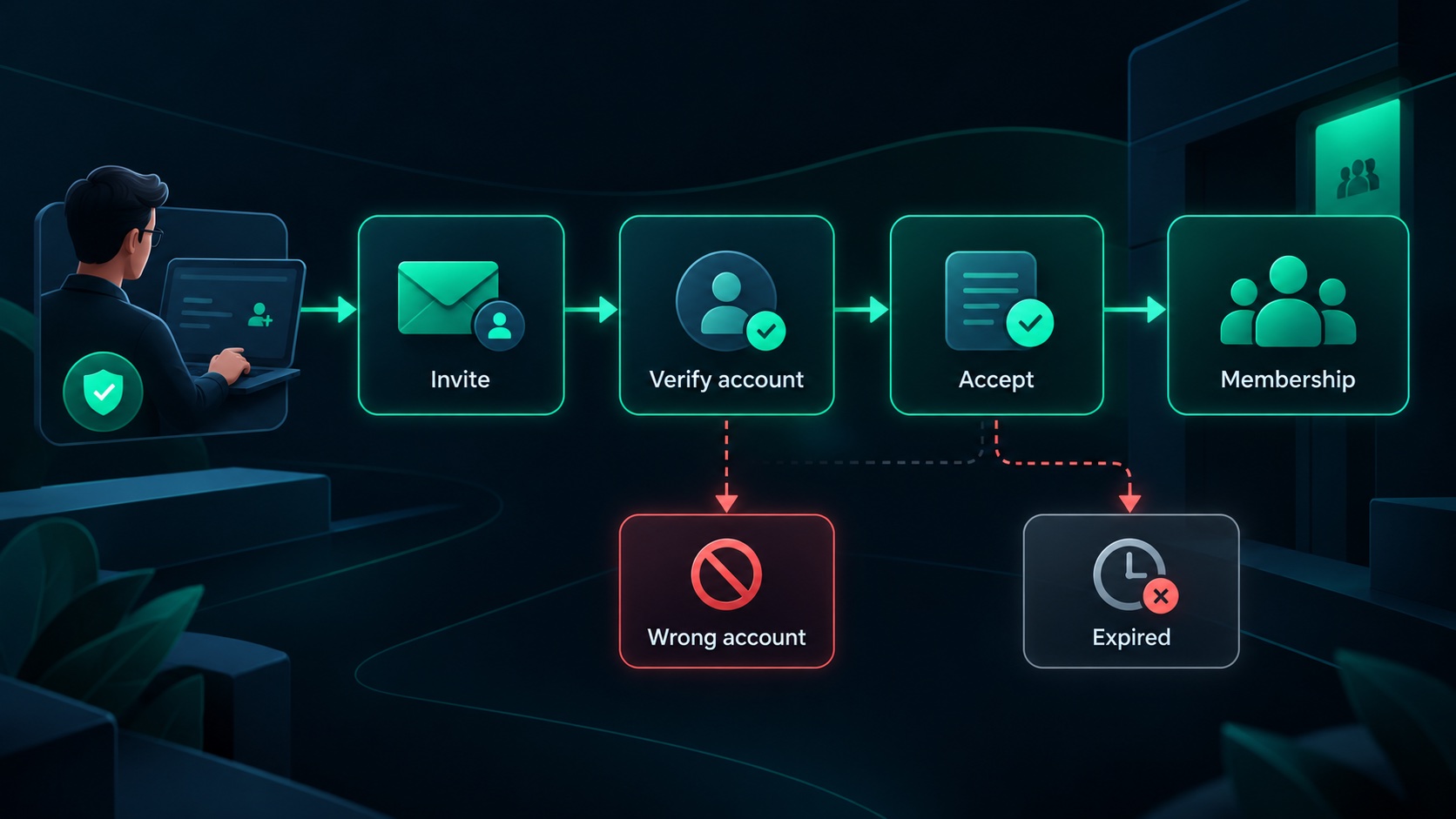
A reliable team invitation flow records an intended access grant, delivers it to the right person and turns it into a membership only after valid acceptance. It also handles ordinary complications: an expired link, the wrong signed-in account, a revoked invitation and two people accepting the final available seat.
Treat the invitation as a workflow with its own state. Sending an email is one step in that workflow. It does not establish that someone joined the workspace or that the intended permissions were granted.
Record what the invitation means
Consider a hypothetical design review portal. A studio manager invites an external client to review one workspace. The invitation should identify the workspace, invited email address, proposed role, inviter and expiration.
Keep that record separate from active membership. A pending invitation should not appear in the application as an active user who can already access customer work.
The Auth0 organization invitation documentation provides a primary example of invitations connecting an intended recipient to an organization. Whether you use an identity provider's flow or your own implementation, preserve the distinction between an invitation and a completed membership.
Normalize addresses consistently without assuming that two different addresses belong to the same person. Display the intended address clearly when the recipient opens the invitation.
Validate the inviter's authority
Before creating an invitation, verify that the inviter has current authority in the workspace and may assign the proposed role. Permission to invite a reviewer should not imply permission to create an owner.
Validate the workspace and role on the server. A form's dropdown can guide valid choices, but a changed request must still fail safely.
Decide what happens if the inviter loses authority before acceptance. One reasonable policy is to revoke their outstanding invitations; another is to preserve previously approved invitations under workspace ownership. The choice should match the product's administration model.
For the design portal, an external client might be allowed to invite another reviewer while remaining unable to grant access to internal project management. That distinction needs to be part of the policy rather than an informal convention.
Use a token with a limited purpose
An invitation link should authorize the intended invitation flow, without acting as a general account credential. Generate an unpredictable token, give it an appropriate expiry and invalidate it after successful use or revocation.
OWASP's password reset token guidance recommends secure randomness, protected storage, expiry and single use for sensitive email links. The same properties are useful design requirements for an invitation token, although joining a workspace is a different business operation.
Avoid putting reusable secrets into logs or analytics events. The invitation page should also avoid sending its token to unrelated destinations through navigation or embedded tracking.
Opening the link should display the invitation. Joining should require an intentional action from the appropriately authenticated recipient, so merely visiting a URL does not grant membership.
Handle the wrong account explicitly
The invited client may already be signed in using a personal address. If the invitation targets their work address, show which address was invited and offer a clear way to switch accounts.
Do not silently attach the invitation to whichever account happens to be open. That creates confusion and can assign access to an unintended identity.
After sign-in, return the person to the original invitation context. They should not land on a generic dashboard and have to reopen the email to continue. Validate the invitation again after authentication because its state may have changed while the person was away.
If the workspace already has a membership for the validated account, handle that case deliberately. You might take the person to the existing workspace rather than creating a duplicate or unexpectedly changing their role.
Make acceptance one controlled operation
Acceptance should verify token validity, recipient identity, workspace state, allowed role and current capacity before completing membership creation.
Membership creation and the transition from pending to accepted should succeed together. If a browser retries after a network interruption, the application should recognize the completed acceptance and return the existing result.
The state model can remain small:
| Invitation state | Meaning | Useful action |
|---|---|---|
| Pending | An invitation exists but membership has not been granted | Show the intended workspace, recipient, role, and expiry |
| Accepted | Validated acceptance created or resolved the membership | Open the existing workspace without granting access twice |
| Expired | The invitation is beyond its permitted acceptance period | Reject acceptance and offer an authorized replacement flow |
| Revoked | The workspace deliberately withdrew the invitation | Reject acceptance and explain that a new invitation is required |