
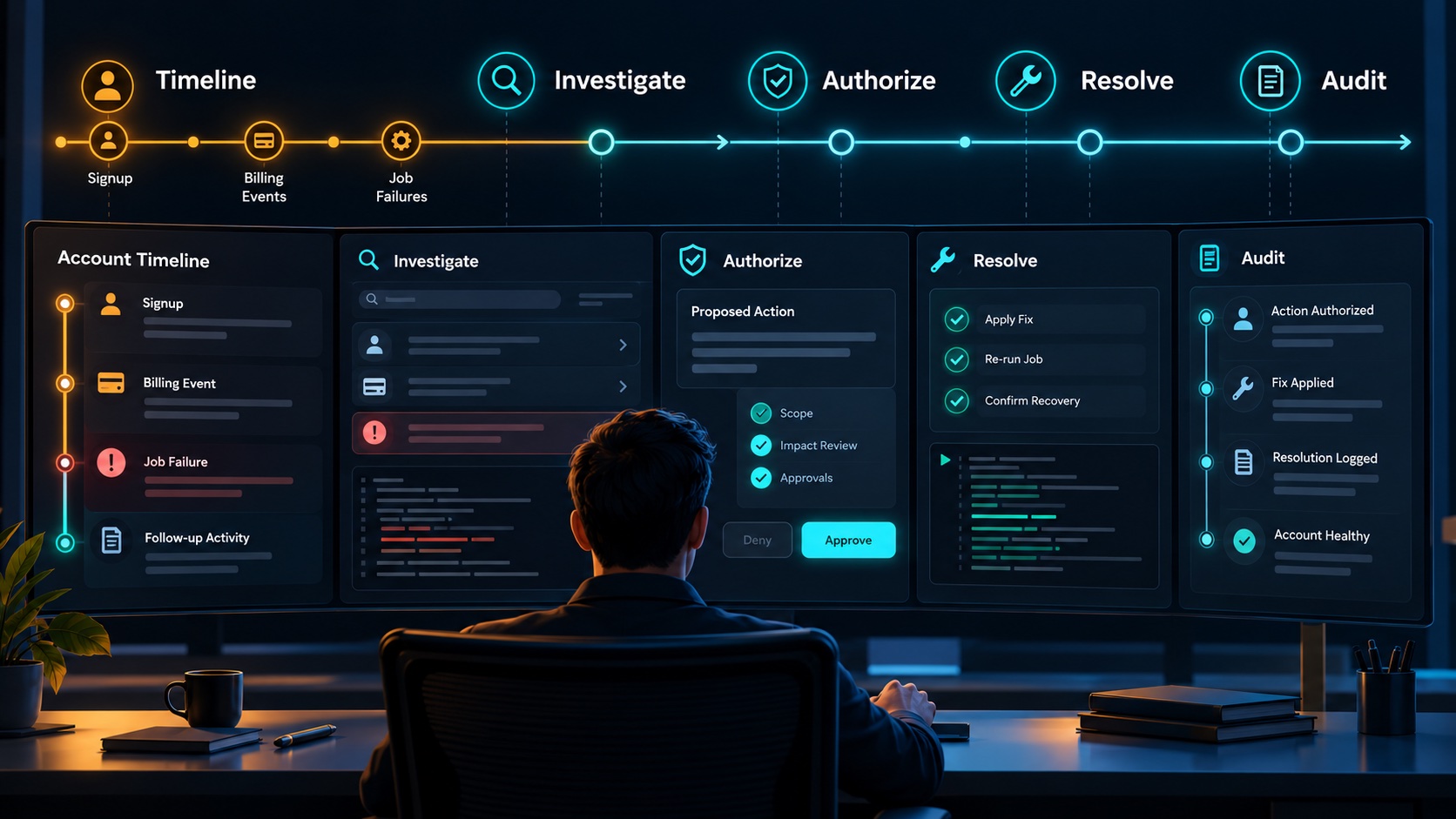
A SaaS admin dashboard should let operators find the right customer, understand their current state, investigate a problem and perform an appropriate action with a clear result. Those workflows matter more than filling the homepage with charts.
Start with real support questions. Why is a paid feature unavailable? Did an invitation reach the customer? Where did an export fail? Which workspace owns this record? An operator should be able to answer these questions without guessing, editing arbitrary database fields or opening unnecessary private content.
Organize around the support investigation
Consider a hypothetical survey research SaaS. A customer says that their completed research export is missing. The operator needs to find the account, identify the requested export and trace its current state.
The dashboard should support lookup by several stable references: workspace, user, job or provider subscription identifier. Display enough context to distinguish customers with similar names.
Once the operator finds the workspace, bring together relevant information such as account status, members, current capabilities and recent operations. Keep raw technical details available where useful, while making the initial view understandable.
A useful search result should make the selected customer unambiguous before any action is taken. Prominent workspace identity and environment labels help an operator avoid acting in the wrong place.
Show an account timeline with meaningful events
The research export may have been requested, queued, processed and then failed during delivery. A timeline can reveal this sequence more clearly than several disconnected status fields.
Record the event, time, result and relevant reference. Show whether the time represents the business event or the application's receipt of external information.
An illustrative investigation could include:
| Event | Result | Useful next step |
|---|---|---|
| Export requested | A request was recorded for the selected workspace | Confirm the requester, report, and operation reference |
| Job queued | The request is waiting for a worker | Check age, worker availability, and any capacity limit |
| Processing started | A worker claimed the job | Inspect current stage and last progress event |
| Delivery failed | Generation or delivery did not finish successfully | Identify the failure category and whether a safe retry is supported |
| Recovery completed | An authorized recovery action produced a recorded result | Confirm customer access and retain the action in the audit trail |