
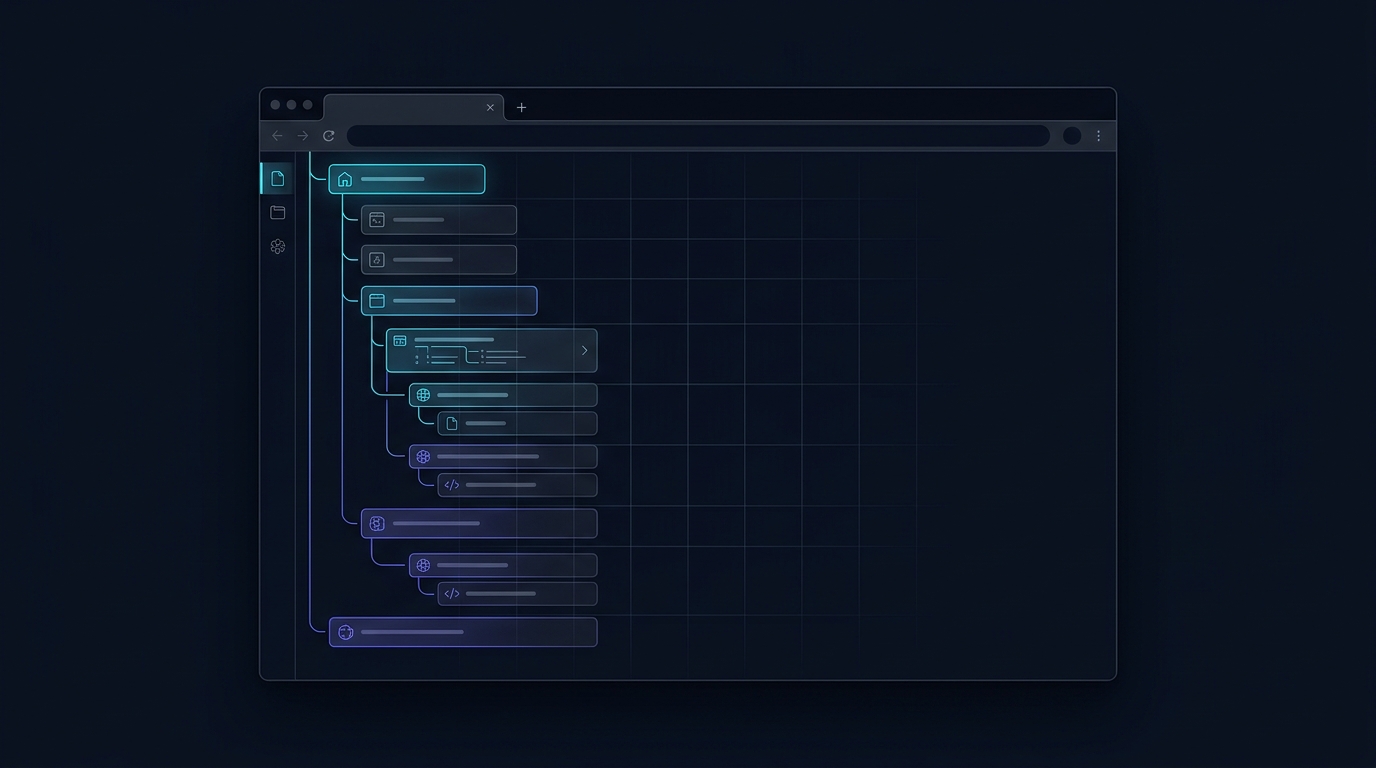
Anyone who conducts serious web research eventually hits the same physical ceiling: horizontal browser tabs become completely unusable. Once you cross 20 or 30 open tabs, page titles disappear, favicons compress into indistinguishable slivers, and you spend more time guessing where you read that crucial statistic than actually reading it.
For years, Firefox users had an unbeatable secret weapon: Tree Style Tab (TST) and Sidebery. By moving tabs to a vertical strip and indenting child tabs beneath parent tabs, browsing transformed from a flat, chaotic queue into an organized, causal hierarchy.
However, Chrome users—and researchers who switch between multiple browsers—have long been left behind. With Chrome's native Side Panel API and modern Manifest V3 architectures, the landscape of tab management has evolved dramatically.
Here is a comprehensive 2026 guide to the best tree style tab extensions across Google Chrome and Mozilla Firefox.
Why Horizontal Tabs Fail for Deep Work
Traditional horizontal tab strips were designed in the early 2000s for casual, single-task browsing. When you are writing a research paper, debugging code, comparing SaaS solutions, or analyzing market data, your browsing pattern is non-linear:
- You start on a primary search query or index page (Parent).
- You middle-click four relevant references (Children).
- From Child 2, you open two documentation sub-pages (Grandchildren).
- You return to the parent search query and branch out down a completely different path.
In a horizontal tab bar, these new tabs are shoved at the end of the strip or squeezed awkwardly next to each other. When you revisit the window an hour later, the causal link—why you opened a page and which source inspired it—is completely lost.
Horizontal Bar: [Source] [Child 1] [Grandchild 1] [Random Tab] [Child 2] ...
(All context lost)

Tree Hierarchy:
▼ Google Search: "Vector Search Architecture"
  ├─ Pinecone Docs: Indexing Types
  │   └─ HNSW Algorithm Deep Dive
  ├─ Weaviate Documentation
  └─ GitHub: hnswlib Implementation
Top Tree Style Tab Extensions Compared
| Feature | Agentium Trace | Tree Style Tab (TST) | Sidebery | Edge Vertical Tabs |
|---|---|---|---|---|
| Supported Browsers | Chrome, Firefox, Edge | Firefox only | Firefox only | Edge only |
| Interface | Native Side Panel / Sidebar | Sidebar / UserChrome | Sidebar | Tab Strip Sidebar |
| Hierarchy Tracking | Automatic Parent-Child | Automatic | Automatic | ❌ Flat (No tree) |
| Mind Map / Canvas | ✅ Full-screen 2D Graph | ❌ Text tree only | ❌ Text tree only | ❌ |
| Highlight & Quote Pinning | ✅ Right-click / Alt+S | ❌ | ❌ | ❌ |
| Tab Hibernation (RAM Save) | ✅ Automatic & Manual | Via Auto Tab Discard | Built-in | Sleeping Tabs |
| Export Formats | Markdown, Obsidian Canvas, NotebookLM | Text/JSON | JSON | None |
| Privacy Model | 100% Local (IndexedDB) | Local | Local | Microsoft telemetry |
1. Agentium Trace (Best for Cross-Browser Research & Mind Mapping)
Available on: Google Chrome | Mozilla Firefox | Microsoft Edge
Agentium Trace is built specifically for users who conduct exploratory research and want visual causality without sacrificing RAM or privacy. Rather than simply stacking tabs in a plain vertical list, Trace automatically builds a real-time parent-child tree inside the native Chrome Side Panel and Firefox Sidebar.
Key Highlights:
- Instant Causality Tracking: Every time you open a link from an existing tab or search result, Trace creates an indented branch automatically.
- Full-Screen 2D Canvas: With a single click, expand your browsing session into an interactive node graph with zoom, pan, search, and automatic layout controls.
- In-Tab Highlight Pinning: Select text on any article, press
Alt+S(or right-click "Pin to Trace"), and the quote attaches permanently to that page node. - Tab Hibernation & Memory Pruning: Hibernate open tabs to release precious system RAM while keeping your visual hierarchy intact.
- Local-First Privacy: 100% of your browsing trees, notes, and session history stay inside your local browser's IndexedDB. Zero analytics, zero telemetry.
2. Tree Style Tab (TST by Piro)
Available on: Mozilla Firefox only
Tree Style Tab is the granddaddy of vertical tab extensions. Developed for Firefox, it pioneered hierarchical tab management.
Pros:
- Deeply customizable via custom CSS (
userChrome.css). - Mature ecosystem of companion add-ons (auto-closing, tab discarding).
- Highly responsive keyboard shortcuts.
Cons:
- Strictly limited to Firefox due to reliance on Firefox-specific sidebar APIs.
- Configuration can be overwhelming with hundreds of nested settings.
- Lacks research tools like note pinning, full-screen canvas visualizations, or exports.
3. Sidebery
Available on: Mozilla Firefox only
Sidebery is a sleek, modern alternative to TST for Firefox power users who want vertical tabs, custom panels, and built-in tab containers.
Pros:
- Exceptional aesthetic polish and smooth animations.
- Native integration with Firefox Multi-Account Containers.
- Built-in snapshot backups and tab unloading.
Cons:
- No Chrome or Chromium support.
- Limited to text-based tab trees; does not offer visual mind mapping or dossier export for personal knowledge management (PKM) tools.
How to Install and Get Started with Agentium Trace
Getting tree style tabs in your daily workflow takes less than 30 seconds:
- Install the Extension:
- Open the Side Panel: Click the Trace icon in your browser toolbar or press your browser's native side panel shortcut.
- Browse Naturally: Open Google or DuckDuckGo, search for your topic, and middle-click results. Watch your research tree branch out in real time.
- Pin Key Findings: Highlight any quote or code block, press
Alt+S, and see it anchored to your browsing node.
The Verdict
If you only use Firefox and love tweaking raw CSS scripts, Sidebery and Tree Style Tab remain legendary power-user tools.
However, if you work across Chrome, Edge, and Firefox, or if you want your tab tree to act as an intelligent research mind map that you can export into Obsidian, NotebookLM, or Markdown dossiers, Agentium Trace is the most versatile solution available today.