
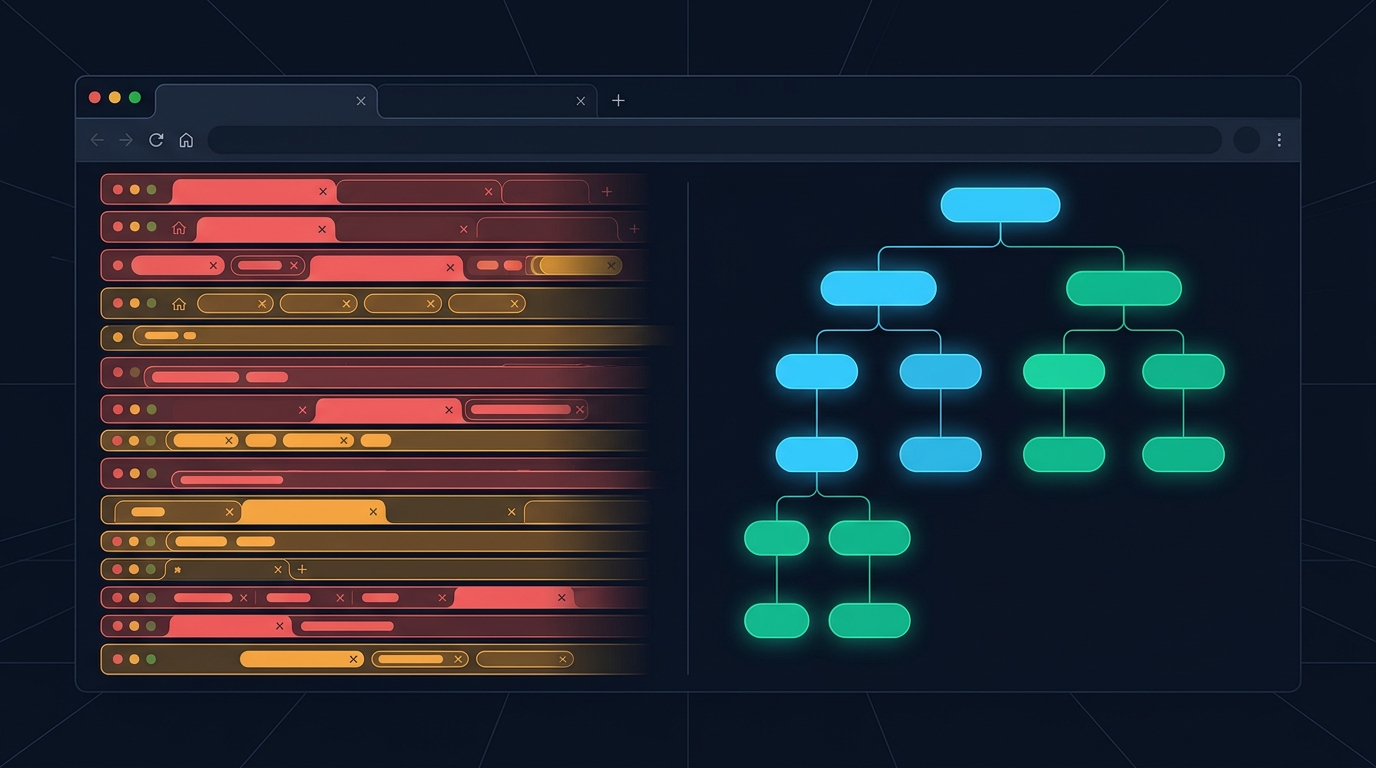
When Google introduced Tab Groups to Chrome, productivity blogs hailed it as the definitive cure for tab hoarding. Finally, you could color-code tabs, name clusters "Work" or "Vacation," and collapse them into tidy pills.
Yet if you look at your browser window right now, chances are you still have 40, 60, or 100+ open tabs scattered across multiple windows.
Why did Tab Groups fail to solve tab overload?
The answer lies in human cognition and the fundamental difference between manual taxonomy and causal hierarchy.
The Fatal Flaw of Tab Groups: Administrative Friction
Tab Groups demand constant, manual maintenance:
- You open three new tabs from an article.
- They appear outside your current group or expand it horizontally.
- You must stop what you are reading, right-click the tabs, click "Add to Group," select a color, and type a label.
Nobody wants to do data entry while researching. The moment you are engrossed in complex problem-solving, cognitive momentum takes priority over housekeeping. You tell yourself, "I'll organize these tabs later."
Two hours later, you have 14 unnamed grey groups and 30 ungrouped tabs spilling off the edge of your screen.
The Psychology of Tab Hoarding: Fear of Context Loss
People don't keep 70 tabs open because they love clutter or want their laptops to sound like a jet engine.
They keep tabs open because of fear of context loss:
- "If I close this tab, I'll forget the thought that led me to it."
- "This tab represents an unresolved question in my research path."
- "Bookmarking this puts it into a black hole where I'll never see it again."
A horizontal tab bar tells you what is open, but it never tells you why it was opened or how you got there.
How Hierarchical Tab Trees Solve the Problem Automatically
Hierarchical tab trees—like those built into Agentium Trace (for Chrome and Firefox)—operate on an entirely different mental model: automatic parent-child causality.
[Tab Groups: Flat, Manual, Fragile]
▼ Group: Research
  [Tab 1] [Tab 2] [Tab 3] [Tab 4] [Tab 5] (Which link led to which?)

[Tab Tree: Automated, Hierarchical, Causal]
▼ Primary Search: "High Throughput Message Queues"
  ├─ Kafka Architecture Whitepaper
  │   └─ Zero-Copy OS Optimization Docs
  └─ Redpanda vs Kafka Benchmark
      ├─ Discussion on Hacker News
      └─ Benchmarking Script on GitHub
1. Zero Manual Organization
You never create groups, assign colors, or drag tabs. When you click a link or open a search result from an active tab, Trace automatically registers that tab as a child and indents it under the parent. Your research hierarchy builds itself silently in your browser's side panel.
2. Collapsible Thought Branches
Finished exploring the "Redpanda benchmark" rabbit hole? Collapse the entire branch with a single click. Your screen stays clean, but the branch remains preserved whenever you need to revisit the findings.
3. Safe Tab Hibernation (Memory Pruning)
The biggest pain of heavy tab browsing is RAM exhaustion. Chrome's built-in memory saver often discards tabs indiscriminately, resulting in frustrating reloads.
With Trace, you can prune or hibernate entire branches of tabs. Hibernated tabs release 100% of their RAM while their page titles, URLs, and pinned notes remain permanently accessible in your visual tree. You can reopen any hibernated tab instantly with a single click.
4. Expansion into a 2D Mind Map
When a research session gets complex, a vertical list isn't enough. Trace lets you expand any browsing tree into a full-screen interactive node canvas with automatic layout algorithms, search filters, and minimaps.
Tab Groups vs. Hierarchical Trees: The Breakdown
| Feature | Chrome Tab Groups | Agentium Trace Tab Tree |
|---|---|---|
| Hierarchy Depth | 1 Flat Level | Unlimited nested parent-child trees |
| Organization Effort | High (manual drag & drop) | Zero (automatic causality tracking) |
| Location | Cramped horizontal bar | Native vertical Side Panel / Sidebar |
| Memory Management | Browser-wide discarding | Targeted branch hibernation |
| Context Retention | Favicon & Title only | Causality links, dwell time, pinned quotes |
| Export Capabilities | None | Markdown, Obsidian Canvas, NotebookLM |
Experience Stress-Free Browsing
You don't need more discipline to keep your browser organized; you just need tools that mirror how human curiosity actually works.
Install Agentium Trace today and turn your chaotic tab sprawl into a calm, structured research tree: